What's New in the Live Draft
New features for the 2026-27 season. See also the Live Draft guide.
Team names at the top and bottom of the draft grid
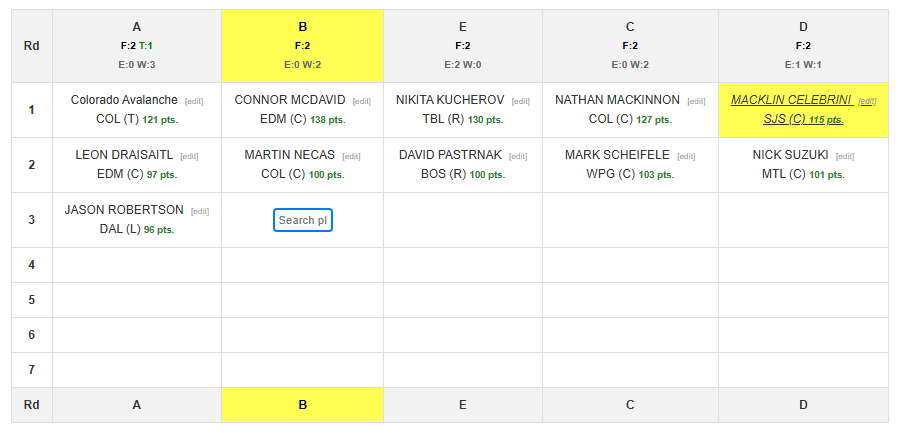
Team names now appear at both the top and the bottom of the draft grid. The team that is currently selecting is highlighted in yellow.
Limits on player types
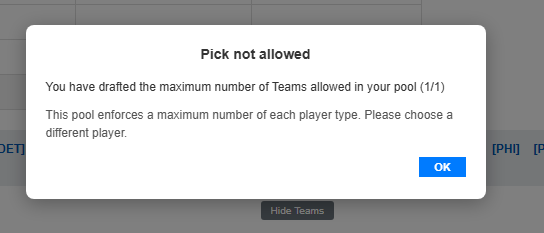
The pool can now enforce limits on how many players of each type a team drafts. If a pick would go over a limit, a pop-up stops the pick so a team can't over-pick a position.
Sort Top Available Players by any stat
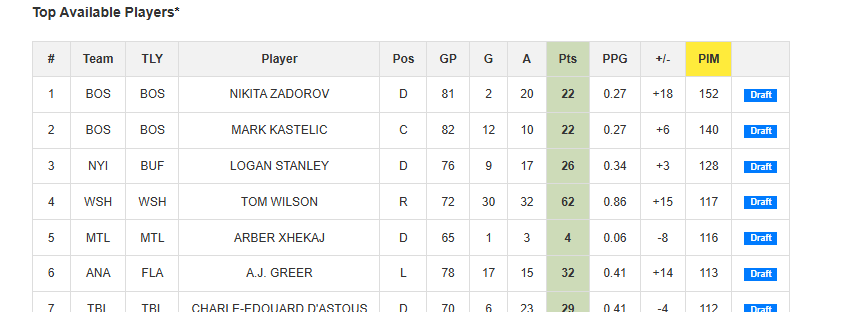
Click any stats column header in Top Available Players to sort by that stat. The sort changes only your view; nobody else's screen changes. It re-sorts every player from last season on that stat, not just the visible top 40. The column you sorted on is highlighted in yellow.
For example, if you're drafting a penalty player, sort on PIM. Click the PTS header again to go back to the normal points view.
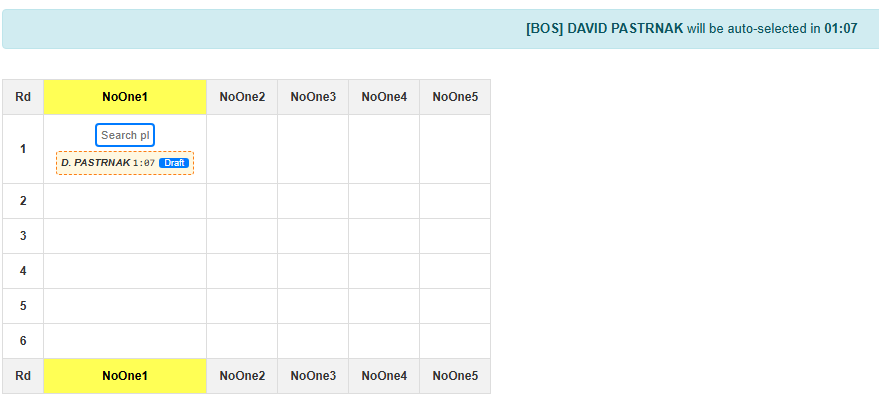
Auto-selection player and timer next to the current pick
If you use Auto-selection mode, the player who will be auto-selected and the timer now also appear just below the current drafting position, as well as at the top of the draft grid.
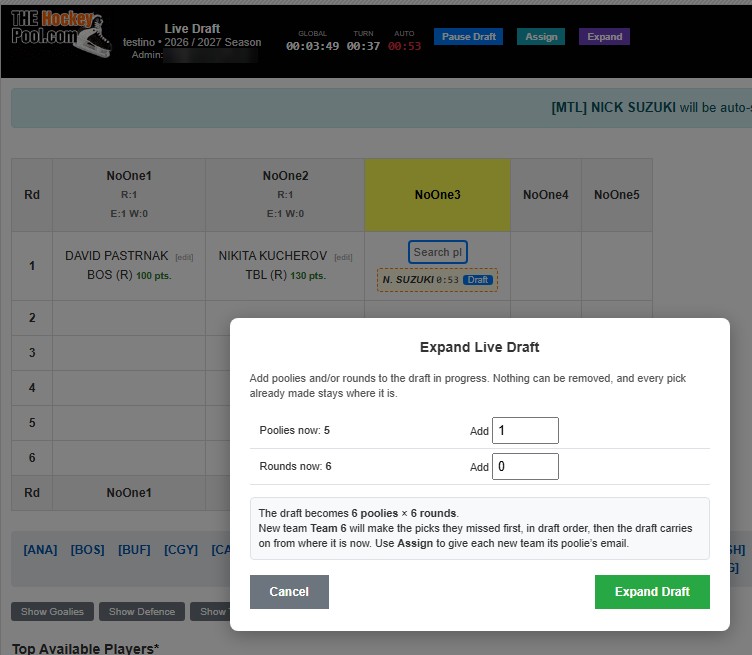
Expand the draft after it has started
If someone joins late, or you want to add more draft rounds after the draft has started, use the new Expand button at the top of the page.
Expanded Top Available Players list
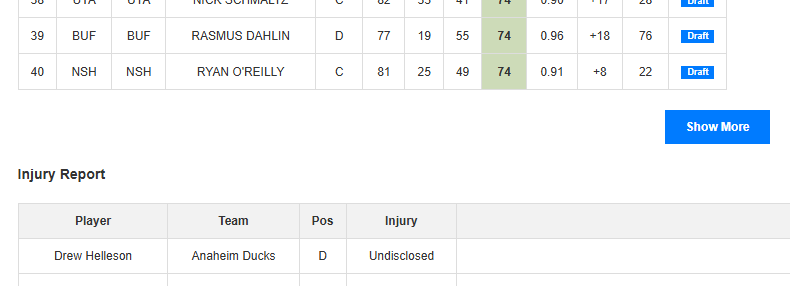
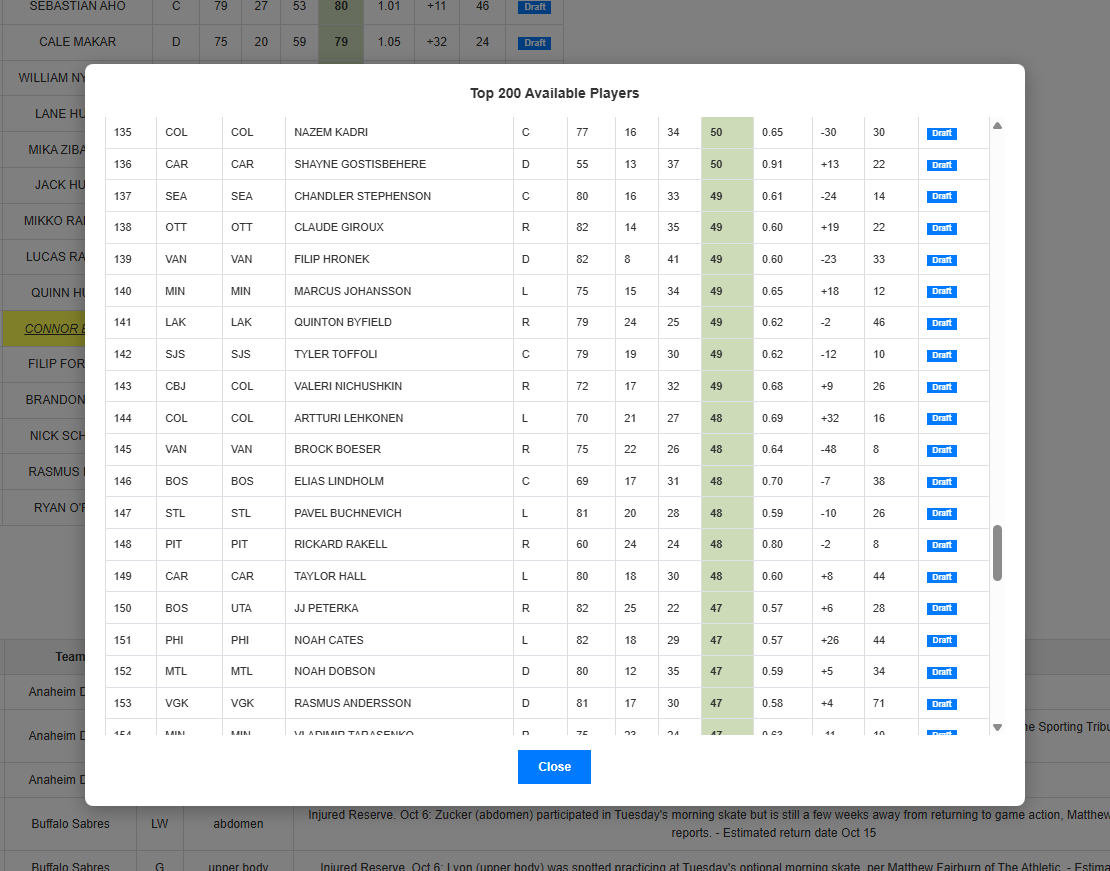
At the bottom of the Top Available Players list, there is now a Show More button that opens a pop-up window with the Top 200 Available Players, if you want to go really, really deep. You can draft straight from that list when it's your turn.